Know what's on the shelf before you run out
Simple stock keeping for shops, distributors and kitchens. Keep a product list, record stock in and out as it happens, count your shelves and get warned when something is running low.
- Free in early access
- No card needed
- Web and mobile
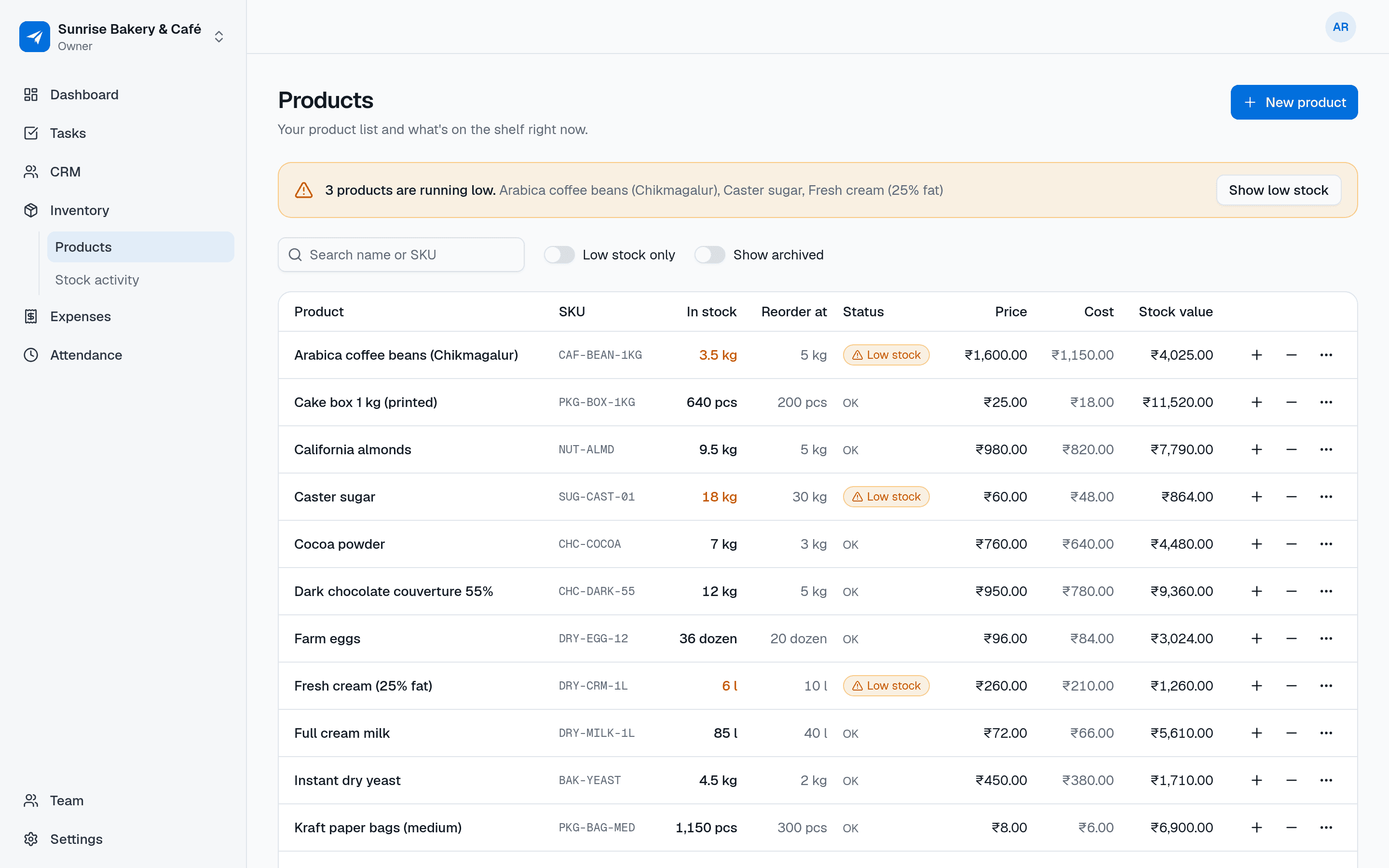
Why teams use Inventory
Products, stock levels and low-stock alerts
Reorder on time
Set a reorder level for each product. When stock drops to it, the product is flagged as low so you can order before you're out.
Every change has a reason
Stock only moves through receipts, removals and counts, each with who, when and a note. You can always see why a number changed.
Staff can help without seeing your margins
Your team records stock in and out. Costs and stock value are visible only to admins and the owner.
Features
Everything in Inventory
Everything below is included for your whole team, free during early access.
Product list with SKUs
Name, optional SKU, unit and selling price for each product. Search by name or SKU.
Any unit, including decimals
Pieces, boxes, kg, litres, metres or your own unit, with quantities like 12.5 kg recorded exactly.
Receive, remove and count
Record deliveries coming in, stock going out, and the result of a physical count. The difference is recorded for you.
Full stock history
An append-only log of every movement, filterable by product, type and date. Past entries are never overwritten.
Low-stock alerts
Products at or below their reorder level are highlighted, and you can list only the ones that need ordering.
Cost and stock value for managers
Admins can add a cost price and see what the stock on hand is worth. Members never see these numbers.
Archive, don't delete
Stop selling a product and archive it. Its history stays, and you can restore it later.
Use cases
How small businesses use Inventory
A kirana or general store receives a delivery, records it in a minute and sees which items are low.
A wholesaler tracks stock in boxes and kg across hundreds of products with SKUs.
A restaurant kitchen records ingredients used each day and does a weekly count of the store room.
A boutique owner checks stock value at month end while staff only record sales and deliveries.
A manager investigates a missing quantity by reading the product's stock history.
Also on mobile
Record stock right at the shelf
Inventory works in the NextFly EMS mobile app as well as on the web, with the same data and the same permissions.
- Receive a delivery as it's unloaded
- Remove stock as it's used or sold
- Enter a count during a stocktake
- Spot low-stock products instantly
Works with
Independent, but better together
Inventory works perfectly on its own. Switch on another module whenever you need it — they share your team and settings, and nothing about Inventory changes.
FAQ
Inventory questions, answered
Is this inventory management suitable for a small shop?
Yes. It's designed for small shops, kitchens and distributors that need a clear product list, stock in and out, counts and low-stock warnings without an ERP.
Can I use units like kg and litres?
Yes. Each product has its own unit, and quantities can have up to three decimal places, so 2.5 kg or 0.75 l are recorded exactly.
Can my staff see cost prices?
No. Cost prices and stock value are only shown to admins and the owner. Members can view products and record stock in and out.
What happens when I do a stock count?
Enter what you physically counted and a short note. NextFly EMS records the difference as a count in the stock history, so the change is explained.
Can I delete a product?
Products are archived rather than deleted so their stock history is kept. You can restore an archived product at any time.
Does it handle billing or GST invoices?
No. Inventory tracks products and stock levels. It doesn't create bills or invoices.
Try Inventory with your team this week
Create your workspace in a minute and switch on just this module, or book a demo and we'll set it up with you.