Keep your on-site team organised from anywhere
For repair, installation and cleaning businesses: assign jobs, let technicians check in and submit costs from their phone, and see who's working without calling round.
- Free in early access
- No card needed
- Web and mobile
Sound familiar?
What we hear from owners like you
And how NextFly EMS helps with each one.
“I spend the morning phoning people to find out where they are.”
The attendance team board shows who has checked in, who's done for the day and who hasn't started.
“Jobs get missed because they were only mentioned on a call.”
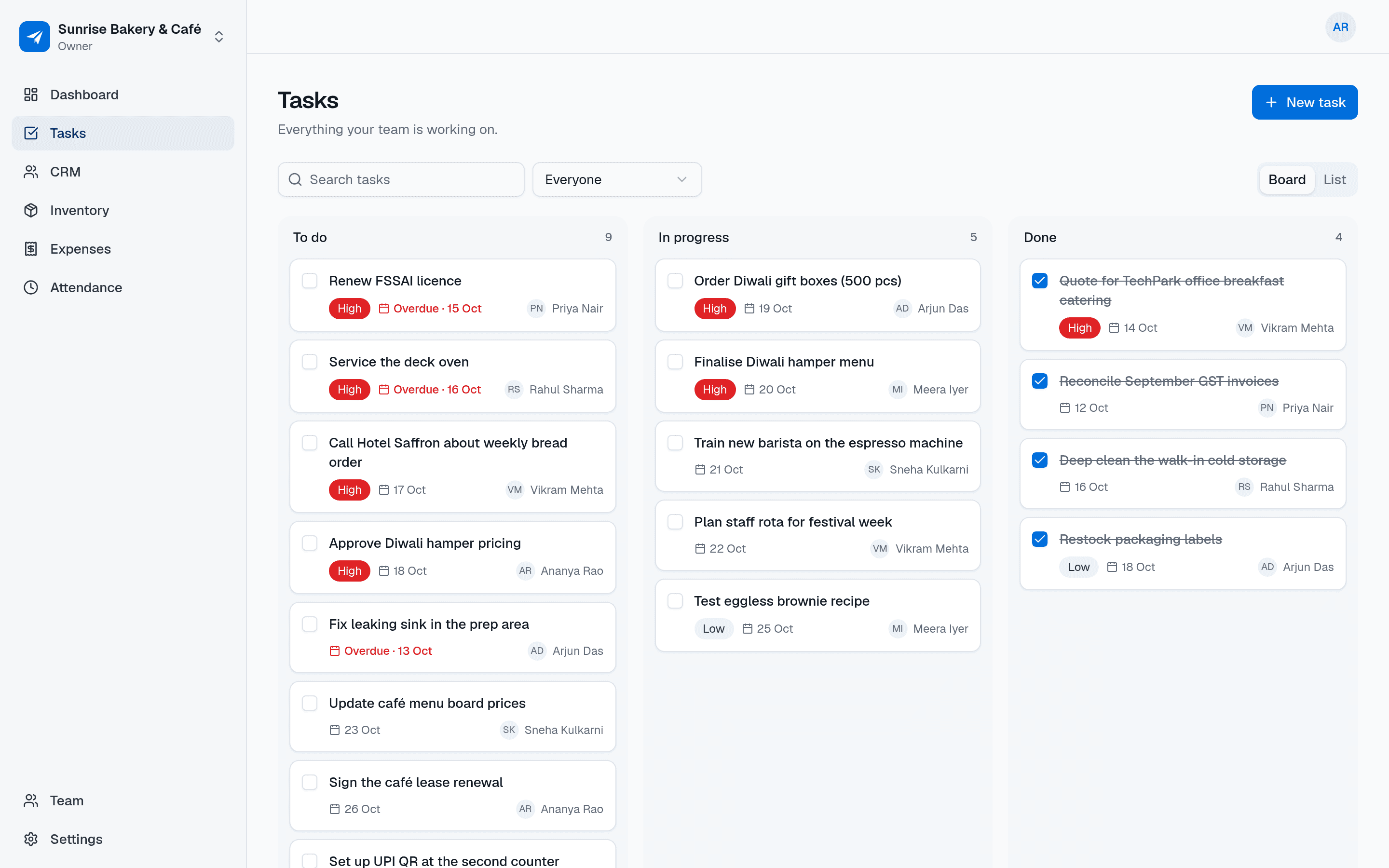
Each job is a task with an assignee and a due date. Technicians see their list on their phone and mark it done.
“Fuel and parts bills come in weeks late, on crumpled paper.”
Technicians submit expenses from the site. You approve or reject them with a note the same day.
“Working out hours at month end takes forever.”
Check-ins and check-outs add up into hours per person, with a CSV download for your salary sheet.
Recommended setup
The tools field services start with
Choose “Field services” when you sign up and we'll suggest these modules. Keep the ones you want, add others any time.
A day with NextFly EMS
How it fits into your day
- 1
Start of the day
Technicians check in on the app. You assign the day's jobs as tasks with priorities.
- 2
On site
They open the task, add a comment with an update and mark it done when the job is finished.
- 3
Costs as they happen
Fuel, parts or parking go in as expenses straight away, waiting for your approval.
- 4
Wrap up
Technicians check out. You review the team board, fix any forgotten check-outs and approve claims.
FAQ
Questions, answered
Does NextFly EMS track technicians' location?
No. Attendance records when people check in and out, not where they are. There's no live tracking or geofencing.
What if a technician forgets to check out?
Their session shows as missing a check-out. They can enter when they actually left, or an admin can correct it, and edits are recorded.
Can I schedule jobs on a calendar?
Jobs are tasks with due dates, assignees and priorities on a board or list. There's no calendar or dispatch view.
Do technicians need a computer?
No. Checking in, viewing assigned tasks, adding comments and submitting expenses all work in the mobile app.
See NextFly EMS for field services
Book a demo and we'll set up a workspace that fits how your business runs, or start free and pick your tools yourself.